
Create a task
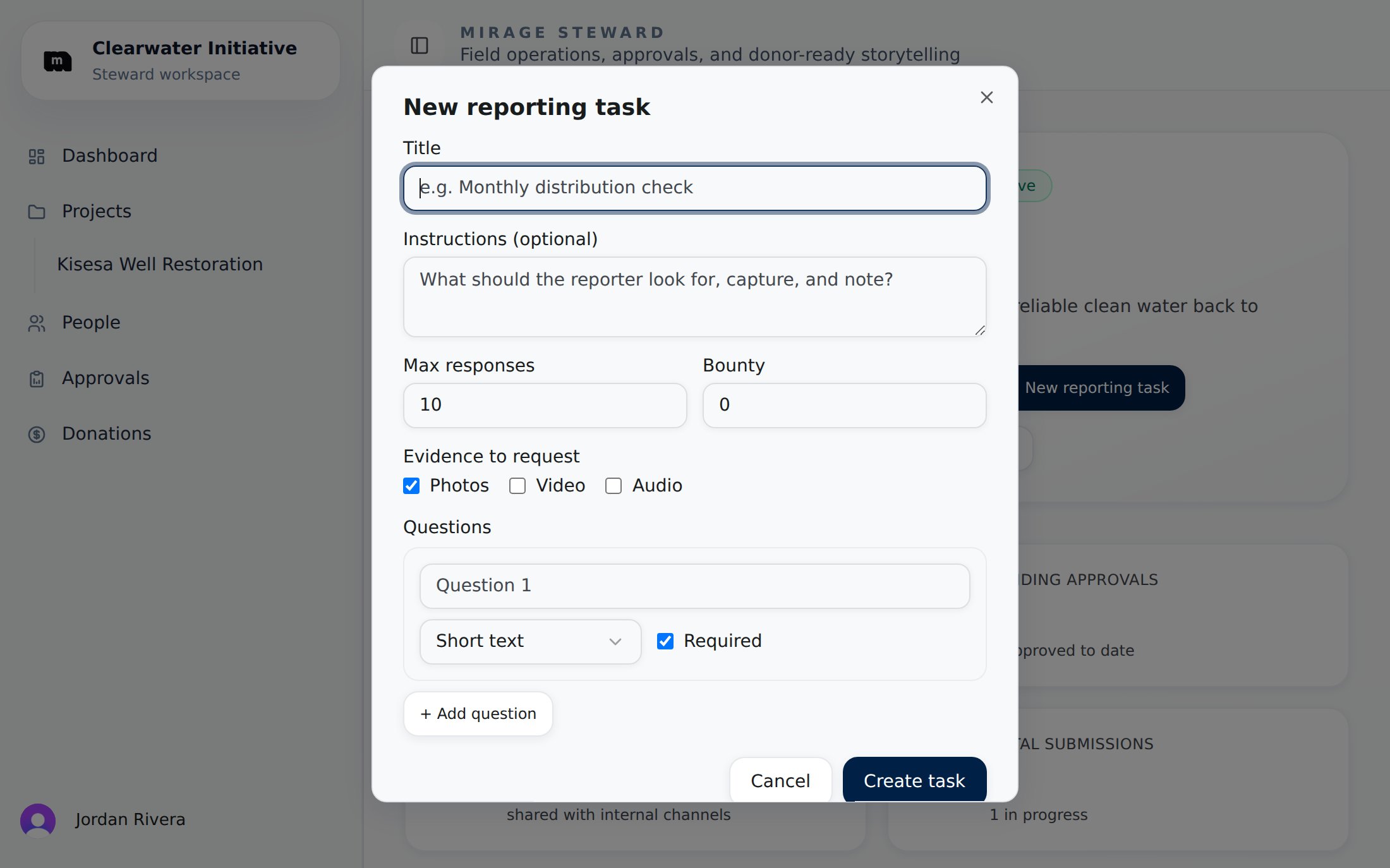
The new reporting task dialog: title, instructions, capacity, bounty, evidence toggles, and questions.
- Title: what the reporter is being asked to do (“Water quality sample collection”).
- Description: detailed instructions: what to look for, equipment needed, safety notes. Reporters read this on their phone at the site, so be concrete.
- Capacity: the maximum number of reports you want against this task.
- Bounty: an optional reward value that signals the task’s worth to reporters and is credited toward their earnings when reports are accepted.
- Evidence requirements: toggle which media the task calls for: photo, video, audio.
- Questions: the structured part of the report.
Question types
Mark questions required to prevent submission without them; leave nice-to-haves optional so a spotty connection or a rushed visit doesn’t block a report.
What reporters experience
As soon as the task exists in an active project, reporters who belong to your organization see it on their dashboard at report.mirage.partners, with your instructions, the bounty, the evidence checklist, and a map link with directions to the project site. They answer one question at a time with automatic saving, attach media as they go, and submit when done. The full reporter-side flow is documented in Submitting field reports.Design tips
Ask for the numbers your metrics need
Ask for the numbers your metrics need
The AI extracts metric values from answers and media. If a metric needs “liters of water distributed”, include a number question that asks exactly that.
One task per activity, not per visit
One task per activity, not per visit
Tasks are reusable: the same task can receive reports week after week. Create a new task when the activity changes, not when the calendar does. For scheduled follow-ups, use revisit tasks instead.
Request the evidence you'll want donors to see
Request the evidence you'll want donors to see
Photos become the visual heart of donor reports. If you toggle photo evidence on and instruct reporters on framing (“capture the well with the village in the background”), your donor reports will thank you.
Keep it phone-sized
Keep it phone-sized
Reporters answer on a phone, possibly offline, possibly in the sun. Ten focused questions beat thirty vague ones.